

Overview
Edit Audio Files Quickly with a Professional Workflow
Ocenaudio is a great tool to help you get the job done quickly and professionally. You can use it for podcasting, voiceovers, music editing, and anywhere you want to edit the audio for video. It delivers a simple editing workflow for macOS users. The program merges powerful audio processing functionalities with an easy interface, so users can be productive without the need to learn an extensive amount of skills first.
Ocenaudio is a powerful yet simple music maker that supports multiple selection, time copy/paste, and undo/redo, which helps you in every step, from the first idea to a final masterpiece.
Ocenaudio works with large files without crashing thanks to the efficient use of memory and optimization features. It can remove unwanted sound elements and make recording sound more professional.
Apply Effects and Analyze Audio in Real Time
Ocenaudio offers great effect processing in real time. It means that you can change your sound almost instantaneously visual gain meters and frequency graphs update as you speak/perform/edit. And more importantly, you can change your audio in near real time and hear it as if it was the final sound quality and mix before actually applying and rendering your changes.
The program comes with a bunch of modern features that make audio editing and post-processing a breeze: parametric equalizer, spectral edition tool, support for VST plugins, 16/24/32-bit sample format support, and rendering with 192 kHz.
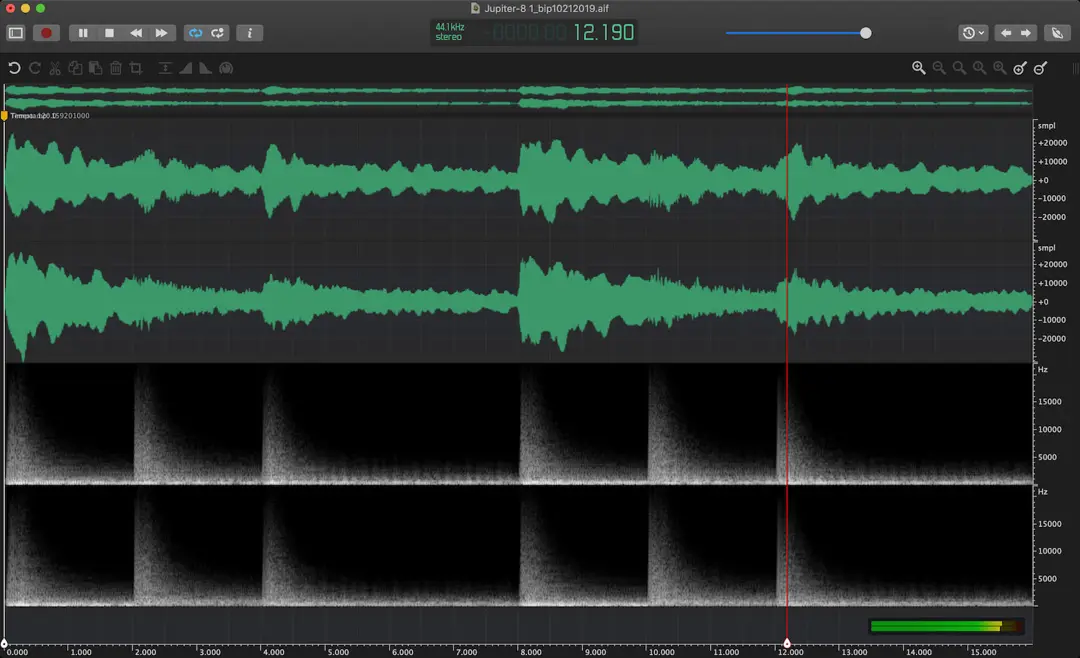
Besides real-time effect processing, you can analyze audio files via advanced waveform visualization coupled with the spectral analysis tool. This offers the power and flexibility needed by professionals seeking to target isolated frequencies for noise reduction.
For Content Creators, Musicians, and Podcasters
Being capable of handling any type of editing task, whether simple or complex, Ocenaudio will suit many different types of users. Podcasters will be able to refine voice records, musicians – edit their music tracks and samples, and content creators can prepare audio files for video, presentations, and online publications. The fast response and optimization for macOS provide users with an ability to edit audio files of any size.
Features of the Software:
- Professional audio editing tools
- Preview of applied audio effects in real time
- Multiple formats of audio files supported
- Display of waveform and spectral information
- Trimmings, cuts, and merges of audio files
- Tools for noise reduction and audio improvement
- Support of equalizer and filters
- Powerful processing engine for large files
- Easy-to-use editor interface
- Optimized for Mac with Intel and Apple Silicon CPUs
Free Download Ocenaudio for MacOS?
To download Ocenaudio for macOS free, simply click the Download button provided by FilePCR. Once you download DMG-file, just open it, drag the application into the Applications folder, and start using the program.