

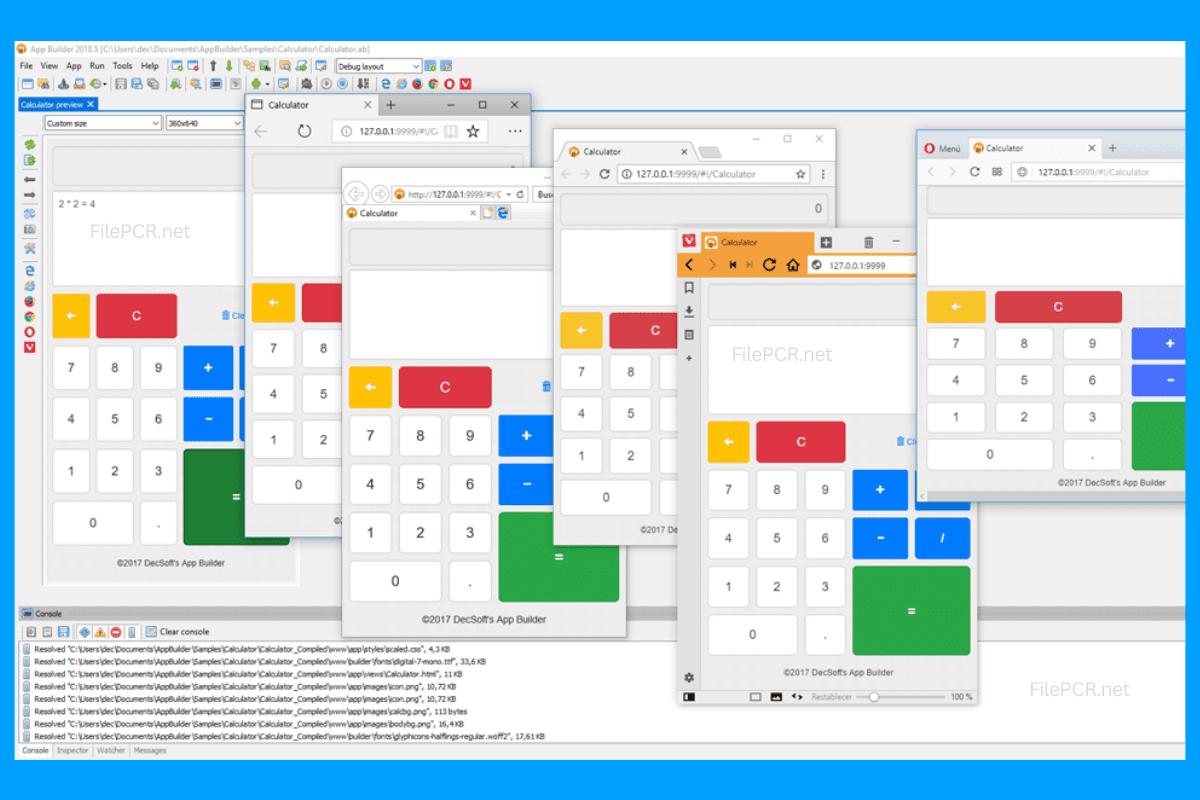
Overview
Development of Web and Mobile Applications from One Workspace
Development of an application may be rather complex because it implies managing layouts, scripts, assets, and files of your project separately. With DecSoft App Builder all these elements are combined into one development space assisting you in going from an idea to a fully working application more easily.
This solution will be especially helpful for developers who deal with web technologies but still require a more organized workflow for building of their applications. HTML5 and JavaScript-based projects will allow you to develop your interactive applications.
Visual Methodology of Application Development
The DecSoft App Builder is based on a visual approach to development as well as the versatility of JavaScript. While you work with project items and applications in visual mode, you still have an option to write your own scripts and customize the behavior of your application.
As a result of that, the program suits a number of projects including utilities, business applications, web-based solutions and others. You no longer need to open a number of other applications to do certain tasks. Most of your work can be done directly within App Builder.
Helpful Tools for Today's Web Developers
For those who are familiar with such web technologies as HTML, CSS and JavaScript, App Builder will become a useful environment for structuring projects of applications and converting web technologies into standalone programs. The project-oriented workflow of App Builder may also simplify the management of resources, scripts and application items.
Regardless of whether you just want to try something new or work on some client project, DecSoft App Builder is going to provide a versatile development environment that can help to minimize the repetitive work. FilePCR supplies this Windows software as a part of its Web
Software Features:
- Visual application development
- Support for HTML5 applications
- JavaScript programming language
- Development of CSS interfaces
- Project management options
- Reuse of application modules
- Development using web technologies
- Custom scripts development
- Structured development environment
- Windows-compatible development environment
How to Download DecSoft App Builder?
Downloading DecSoft App Builder from FilePCR is easy. All you have to do is click on the Download button below and save the downloadable setup file on your Windows computer and Follow the on screen instructions during the installation process and then launch App Builder and begin developing your application projects.